TL;DR I built a small wishlist app: hx-wish. Check it out on GitLab or in the wild.
Why
Last year, I shared my wishlist as a plain text list, and two friends ended up gifting me the same thing. That was awkward.
An interactive wishlist where people can mark what they want to gift sounds like something that should already exist. It kinda does, but it is a bit more nuanced. In short, it turns out that people disagree on what it should do. And I have my own strong opinions, too.
What I need
I thought I didn’t need much:
Reserving and releasing items. Publishing a static list is easy, but not very useful: givers need to mark what they are getting.
- Reservations are visible to other givers: that’s what started this whole endeavour.
- Reservations can be released. My fingers are fat; I can misclick. I also might overestimate my chances of finding the thing.
- Reservations are hidden from the list owner, so they can still be surprised (if they want).
Simple. Minimalistic in both UI and functionality.
No new accounts. If people have to register on yet another service, they’ll just ignore it.
Open source (and self-hostable). No prying eyes on my wishes, please.
Maintained. Duh.
What I found
I have a homelab running k3s. And a bunch of services there use Helm charts by TrueCharts, so naturally, it was the first place I checked. But there wasn’t a single wishlist app.
So I turned to Google. The first time I looked was a few years ago, back when people still searched instead of asking an LLM. Wishlists seem to be one of the most popular hobby projects, right after calculators and weather apps. Only a couple of them look like genuinely polished, general-purpose apps. Yet each of them had a deal breaker. And some of them had pitfalls I hadn’t even thought of before reviewing them.
Wishlist by cmintey 672 stars. Wishlists for friends and family. Everyone has an account, and users
are organised into groups where members see each other’s lists and claim items.
Lists can also be shared through a public link. Other features include product
details fetched from a URL and OIDC login. Honestly, had I found it the first time I looked, I would probably have been
satisfied. Still, a few things make it not quite what I want. What I liked: it’s the most complete of the lot and actively developed by many
contributors. Claiming and unclaiming are one click, quantities are handled
properly, and claims are hidden from owners by default. Why it’s not for me: 423 stars. A family Christmas wishlist that prevents double gifting. The admin
creates an account for each family member, and everyone gets one list. Others
in the family pledge items and can see what has been pledged, but the owner
can’t. It also supports guest viewing, OIDC login and a single-list mode. It is surprisingly popular given how rough it felt, so it’s quite possible I’m
missing something. What I liked: pledging and unpledging are one click, an item can’t be pledged
twice, owners never see pledges, and OIDC login works with any provider. Why it’s not for me: 310 stars. A privacy-focused wishlist platform with many translations. Users
register and create lists, and anyone with the link can view a list and mark
wishes as fulfilled without an account. What I liked: givers just open the link and mark a wish as fulfilled, no account
needed. It’s also polished, with many translations and several lists per user. Why it’s not for me: Either one is a deal breaker, so I didn’t look any further. 214 stars. Group wishlists for a circle of registered users, such as a family.
Owners share lists with groups, and group members claim gifts. Login is by
password or OIDC. What I liked: claiming and releasing are done right. There’s one claim per item,
the claimer can release it, and the owner never sees claims. It’s also actively
maintained, with OIDC, two-factor authentication and session management. Why it’s not for me: Wishlist by Reggio-Digital 47 stars. A single-container app for one household: one admin creates lists
for everyone, shares them by URL, and friends claim items without an account. What I liked: it’s genuinely simple. It’s a single container, givers don’t need
an account, and claimed items are hidden from other visitors by default. Why it’s not for me: 44 stars. One wishlist per instance for a birthday, Christmas or wedding. The
owner adds items on an admin page, and visitors mark them as purchased. What I liked: it does what it says, with one list and a few fields, set up in
minutes. Why it’s not for me: 37 stars. Personal wishlists shared by link. Guests claim items without an
account, claims are hidden from the owner unless they opt in, and item details
are auto-filled from a product URL. The closest to what I want: it’s the only one where the owner decides whether
to see claims (as long as the admin allows it). What I liked: besides that, claimer names are hidden from other guests, guests
claim without an account, and quantities are supported. Why it’s not for me:Expand to see the detailed overview of the existing solutions
Updating what I need
Going through these apps added a few things to my list:
- No admin, please. Owners should manage their own lists and settings. Nobody should have to create accounts or flip global switches for them.
- No holiday theme. Wishlists are for birthdays and weddings too, not just Christmas.
- No affiliate links. I would have expected this from commercial solutions, but surprisingly even self-hosted open source apps have those. A deal breaker for me.
- No Web 2.0 look. Subjective, I agree.
- Release mechanism matters. Many apps get it wrong: either a claim can’t be undone, or anyone can undo anyone’s claim.
- Public lists should be claimable. Most apps make you choose between a public list and one people can claim items from (and then you have to add them to groups, manage access, and take a new part-time sysadmin job).
Building what I need
So I built hx-wish. The idea is to keep it simple and minimalistic, both in the UI and in the backend, and to take the updated requirements literally.
Main features
No admin. There is no admin role and no global switches. Anyone who logs in can create lists, and everything about a list is decided by its owner.
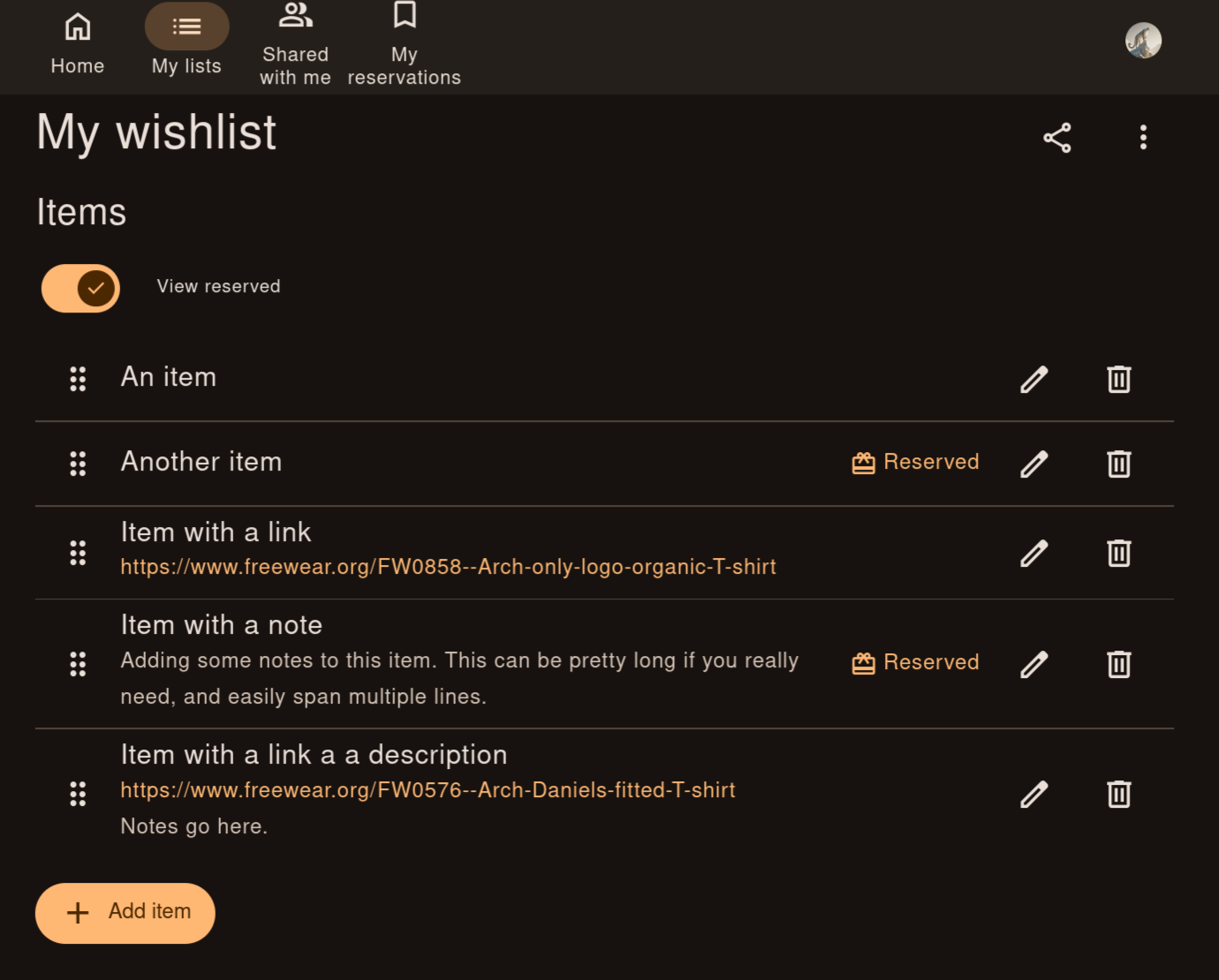
The owner decides what they see. Some people love surprises, others don’t. So each owner has a “View reserved” toggle on their list (off by default):
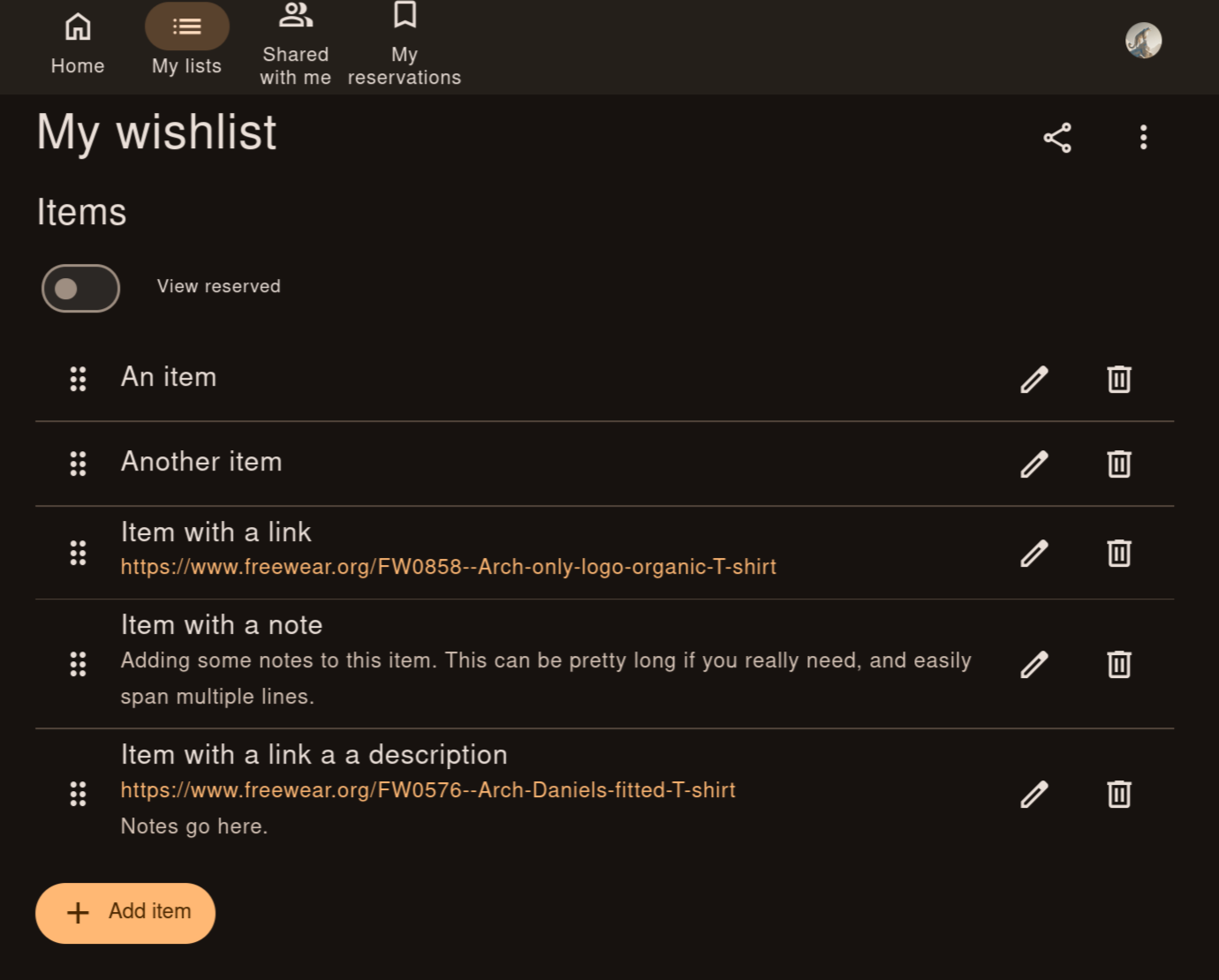
Flipping it reveals the reserved items. Yet, it never shows who reserved an item.
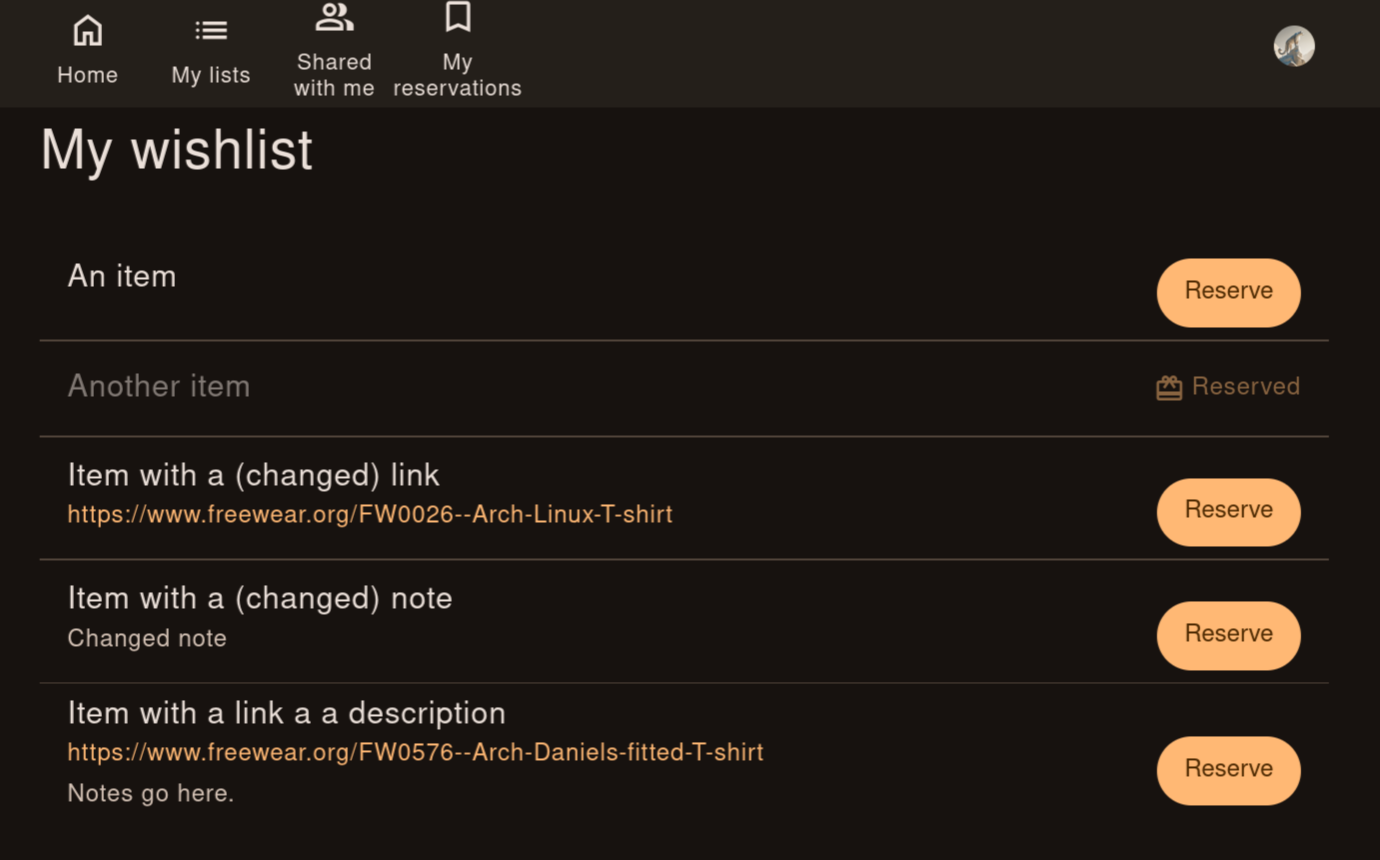
Shared lists accept reservations. Every list has a share link, and anyone who opens it can reserve items. Reserving and releasing are each just one click.
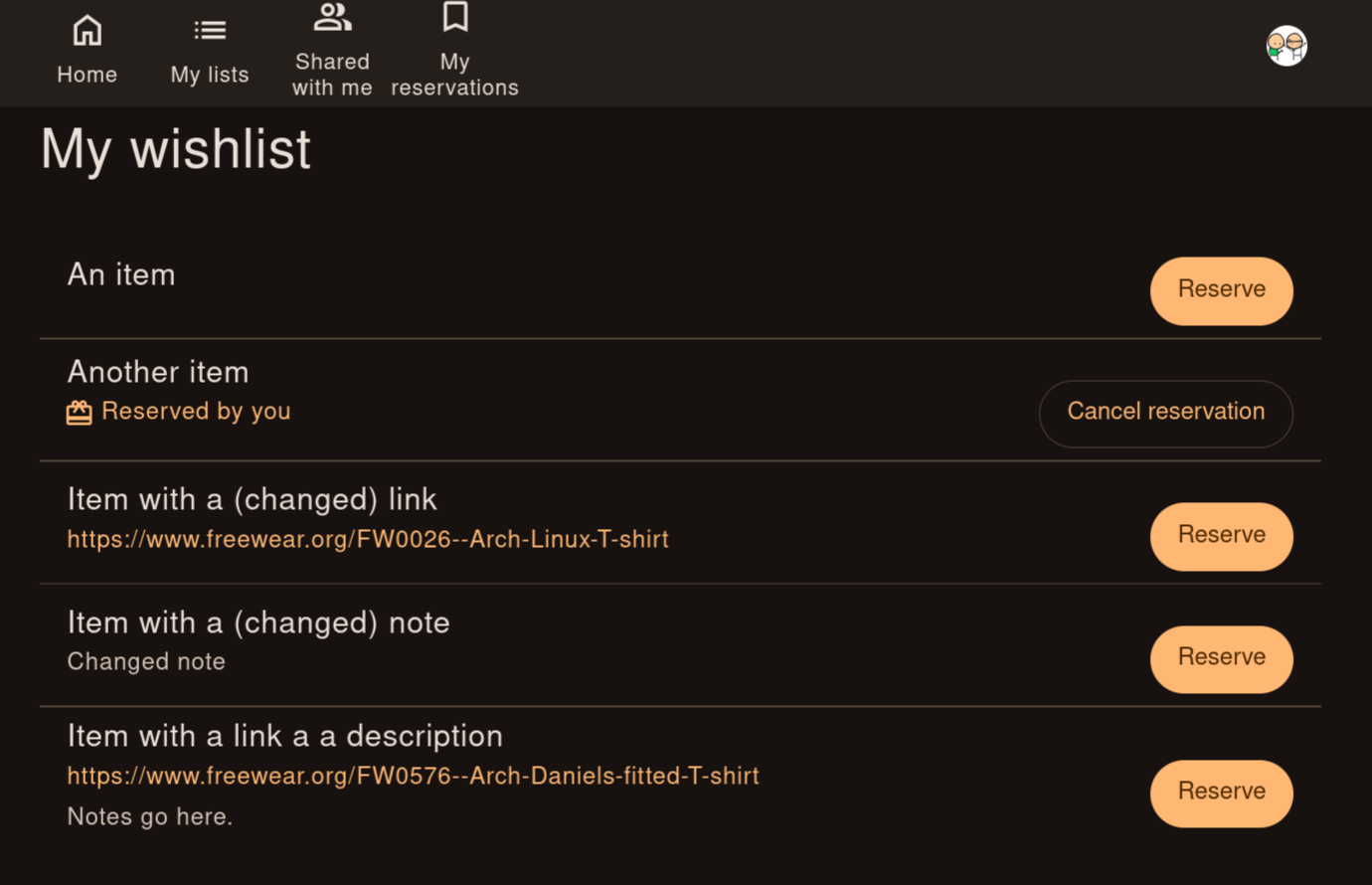
Only you can release your reservation. Nobody else can release it, not even the owner.
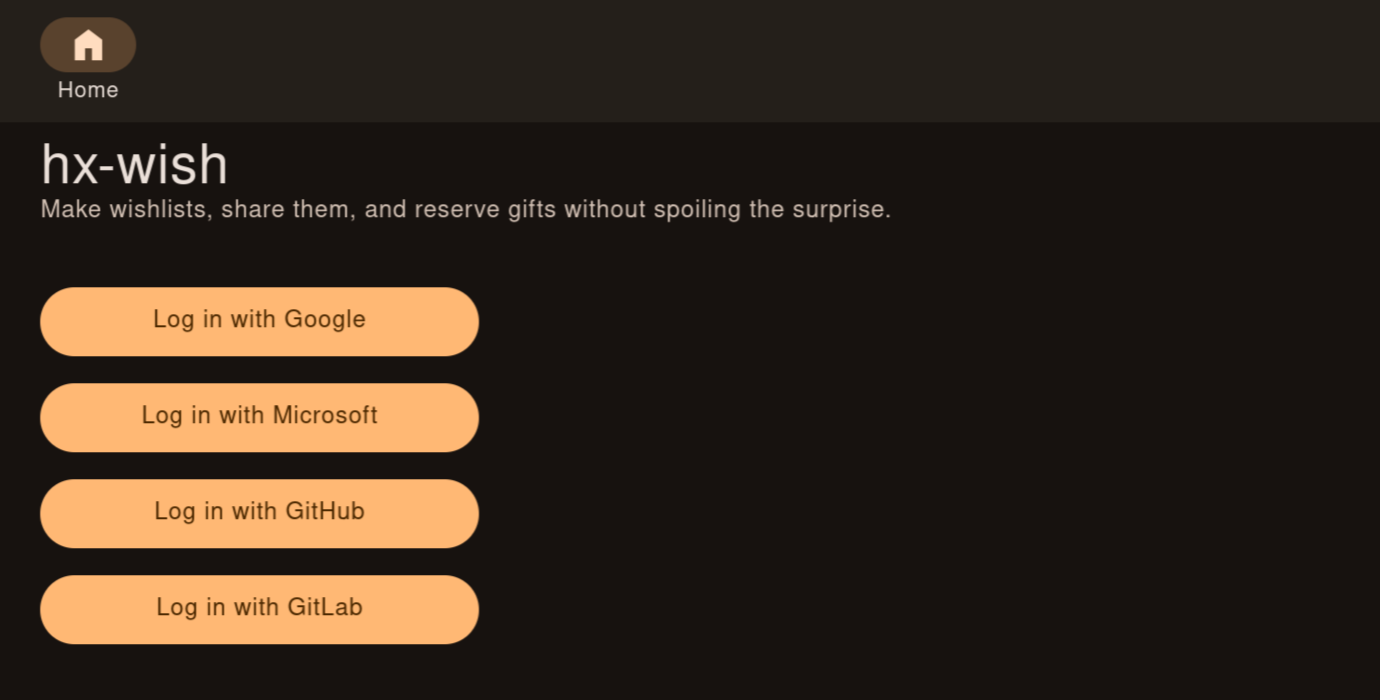
One login, but no new account. This is the trade-off I settled on. Opening a shared list requires logging in with Google, Microsoft, GitHub or GitLab. That is one extra step compared to an anonymous link, but it’s an account basically everyone already has, and it is what makes the previous points work: the app knows whose reservation is whose, so you can release yours and nobody else can. Sign in with Apple would be nice, but it costs money to set up.
No affiliate links, no holiday theme. Links are stored exactly as you enter them, and nothing about the app assumes it’s a specific holiday.
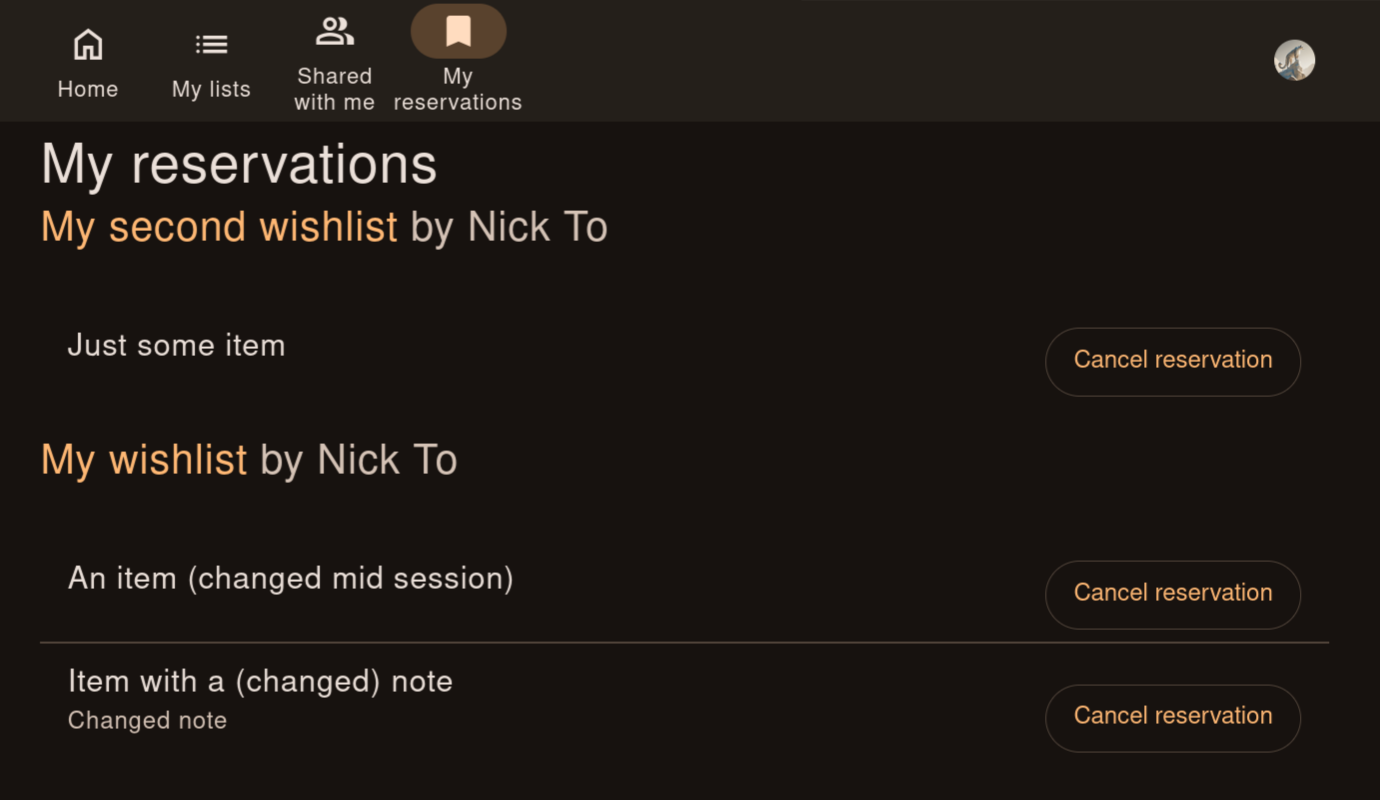
One place for all your reservations. If you have reserved items on multiple lists, a “My reservations” page collects them all, so you don’t have to dig up the links again when you go shopping.
Gotchas
The basic flow is simple, but a few situations turned out to be trickier than they looked.
Stop (the app) gaslighting you
Mistakes happen, so there should be a way to fix them. The easiest fix would be to delete the item and add it again. But if the item was already reserved, this creates a breeding ground for overlaps and confusion, and the whole idea of reserving an item is to prevent exactly that. Thus, the app needs to handle edits to items that have already been reserved.
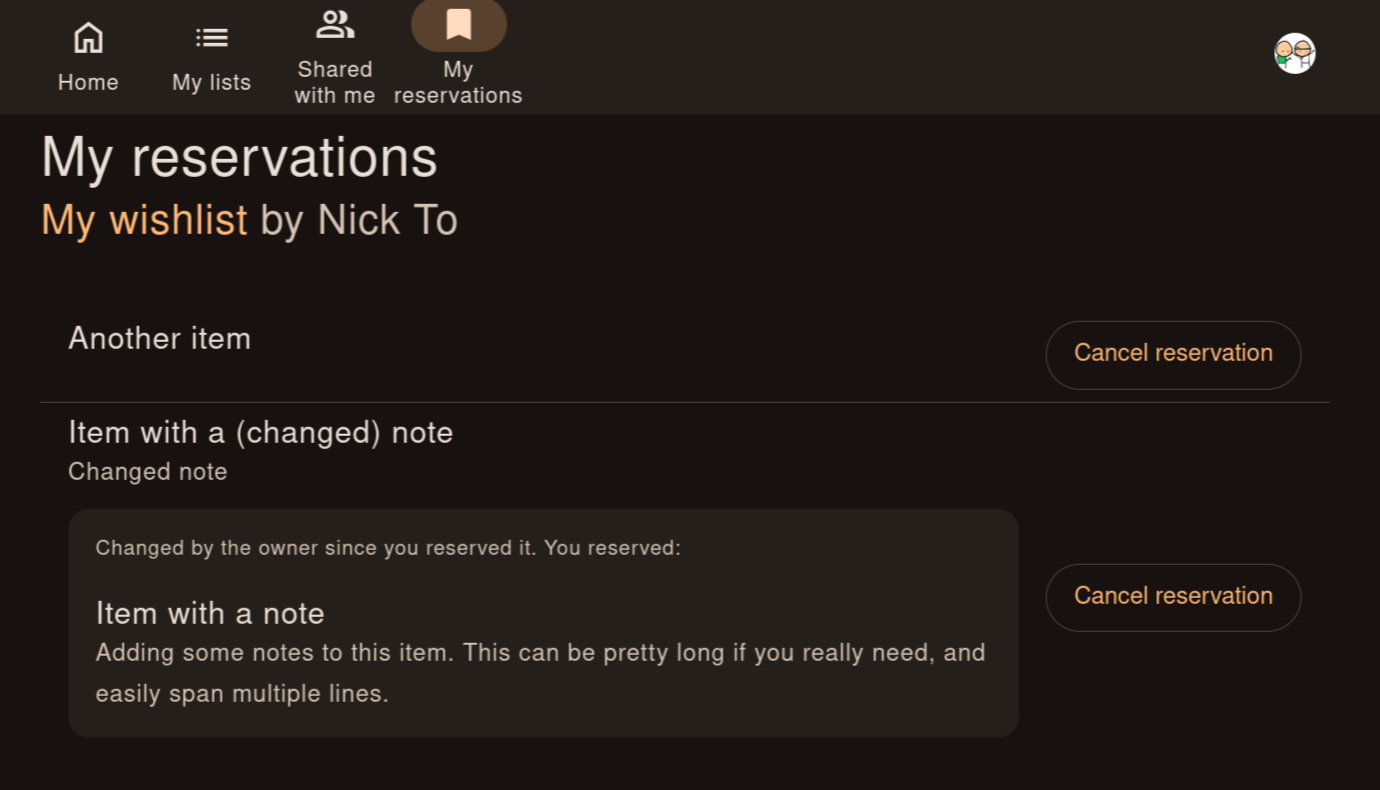
This, in turn, is a recipe for gaslighting. Say you reserved a “blue sweater, size M”, and later the owner edits it to “red sweater, size L”. Are you sure it used to say “blue”? Do you have memory issues? Are you going insane? Maybe. I’m not a doctor. But what I can tell you is whether the item description has changed over time.
When details change, you’ll see it. You see both the current details and the original details, along with a notice that the details have changed since you reserved the item.
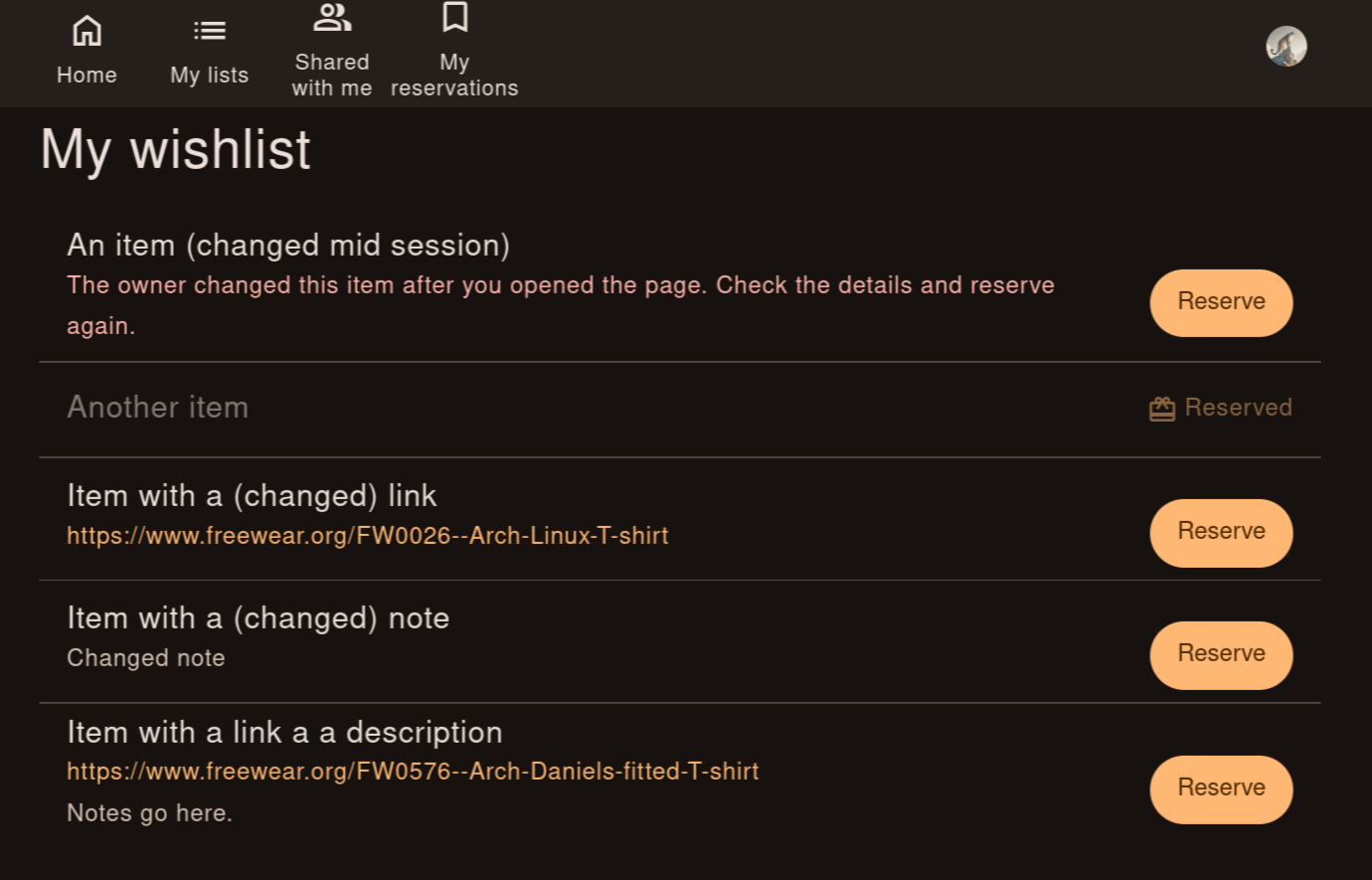
A related race condition is also covered. If the owner changes the details after you have loaded the page but before you reserve the item, the app warns you that the details have changed and asks you to review them again before reserving.
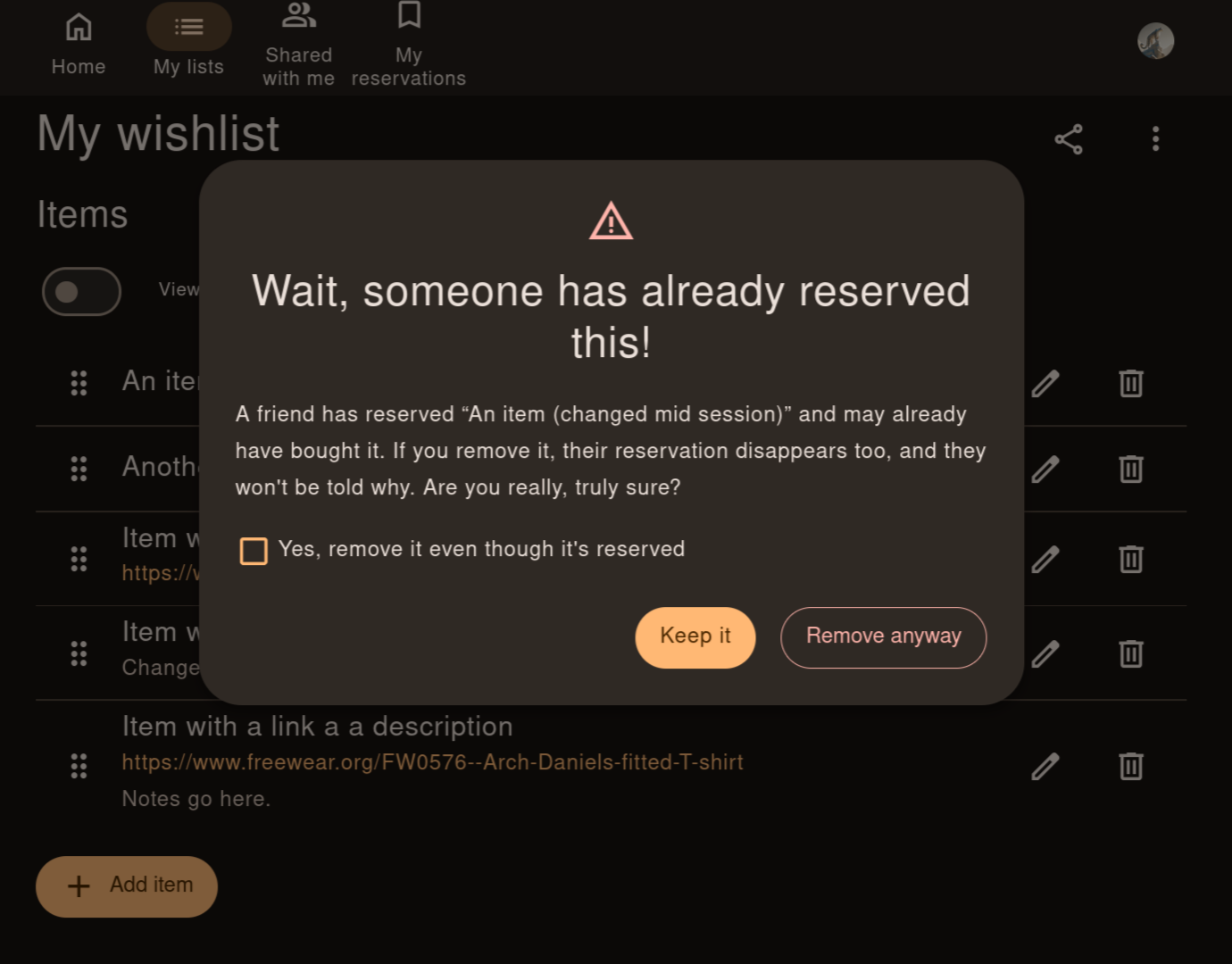
Deleting a reserved item takes an extra confirmation. If you are
really into gaslighting, it is still possible: we give the adults agency. If the
owner tries to delete a reserved item, they will get a warning that it is
already reserved, and the app will ask for an explicit confirmation to
gaslight continue.
Uninvite (everyone all at once), but keep the gifts
A share link is easy to send and impossible to take back. But things happen: all of us have sent a message to the wrong chat, and some of us have fallen out with someone after sharing our most intimate wishes. So there should be a way to take back control.
To stay in line with the self-imposed requirement to keep the app simple, instead of developing a granular access control system, I decided to simply let the owner regenerate the share link. Everyone with the old link loses access, and the owner sends the new one to the people they actually want to share the list with.
Sounds neat, but it raises a couple of questions: what happens to existing reservations, and what do people with the old link see?
Reservations survive the link change. Every reservation is kept, including those of people who no longer have access. They still see their reserved items on the “My reservations” page, and can even release their reservations from there. What they don’t get is the new link: the page only ever points to the link they already had.
Retired links reveal nothing. Opening an old link shows:

The first version said “Ask <owner’s name>”, until I realised that it leaks the owner’s name to exactly the people they might have wanted to cut off.
Under the hood
HTMX. I hadn’t heard of HTMX before this project, and
it’s the reason for the name: all its attributes start with hx-. The idea is
simple: the server returns HTML, and attributes on elements say which bit of
the page to replace with it. No frontend framework, no build step, no JSON API.
For an app like this, it is exactly enough. The backend is FastAPI with Jinja
templates and SQLite.
From Pico.css to Beer CSS. I started with Pico.css, which styles plain semantic HTML with almost no classes. It got me surprisingly far, but I kept running into things it didn’t have, like menus, snackbars and proper dialogs, and had to work around it. On top of that, Pico stopped being maintained recently. So I moved to Beer CSS, which implements Material Design 3 and has the components I need. As a bonus, it passes my own “not Web 2.0” check well.
Docker. The app ships as a Docker image. A small remark for anyone building Python images for Kubernetes: I started with Alpine, but OIDC login didn’t work in the cluster. Switching to a Debian-based image fixed it.
Docker Compose. For the “just try it” route there is a
docker-compose.yaml: one service, SQLite on a volume, secrets in a .env
file, migrations on start. docker compose up -d and that’s it.
Helm. I used to rely on TrueCharts (see above), but the bjw-s common library chart seems to be more widely adopted. For a simple app it removes the need to write your own manifests completely: the chart’s only template is a single line,
{{- include "bjw-s.common.loader.all" . }}
and everything else (Deployment, init container for migrations, Service,
Ingress, PVC, probes) is about a hundred lines of values.yaml. That’s a lot
of boilerplate I didn’t have to write or maintain.
Try it
Source: hx-wish on GitLab.
Docker image:
docker pull rg.pl-waw.scw.cloud/nickto/hx-wishHelm chart (OCI):
helm pull oci://rg.pl-waw.scw.cloud/nicktocharts/hx-wish --version 1.1.0(Version 1.1.0 is the latest as of 2026-10-28; check the registry for newer ones.)
Hosted: I also run it at wishlist.lv. It’s not a demo but a regular instance, so just log in with Google, Microsoft, GitHub or GitLab and create a list. It’s free, and I run it for myself and friends, so no guarantees. That said, if other people start using it, I will probably keep paying for the domain. The data is not end-to-end encrypted, and technically I can read it, so if privacy matters to you, self-host it.
Closing thoughts
It’s a simple app, and I kept it that way on purpose. I hope it spares someone at least one duplicate gift, or one awkward moment.